
Applicability: TGv2, TGv3
TG provides a HTTP interface to enable your applications to send messages over the internet. You can send SMS message using the HTTP interface. Parameters are specified in the URL.
Note: Limit your sending speed to 1 SMS per 10 seconds for 1 port when using this API.
Also, you could refer to the video guide: How To Use TG SMS HTTP API (Video)
Sending SMS format:
http://[IP]/cgi/WebCGI?1500101=account=[user]&password=[pass]&port=[port]&destination=[phone_number]&content=[MSG]
Sending USSD format:
http://[IP]/cgi/WebCGI?1500102=account=[user]&password=[pass]&port=[port]&content=[MSG]
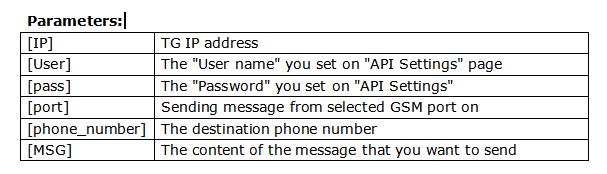
Please check the following example SMS message from web.
If you want to send a message "Hello world!!" to phone number 15880270900 through TG GSM port 1.
The API settings are configured as the following picture shows:
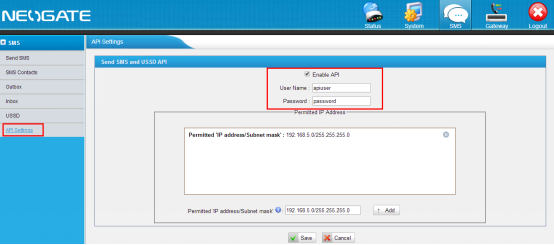
As we can see, the [User] should be apiuser, and the [pass] should be password.
The URL format should be like this:
http://192.168.5.176/cgi/WebCGI?1500101=account=apiuser&password=password&port=1&destination=15880270900&content=Hello+world!!
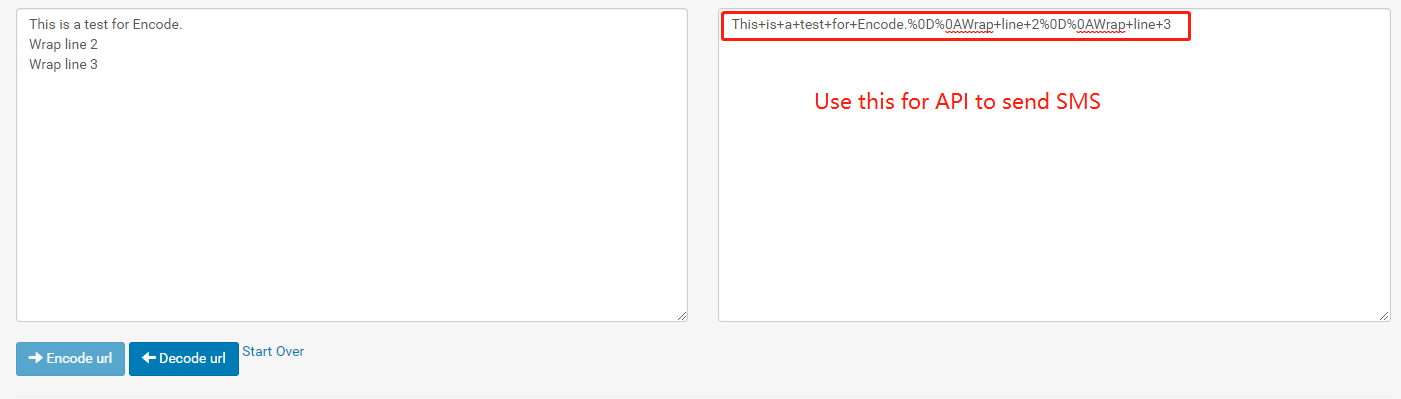
For the content, it is better to convert it to URL Encode.
You might find a tool in the Internet like this web tool: URL Encode Decode
Test
You can try to enter the whole URL in the browser address bar.
If the test result is good, you will get the response:

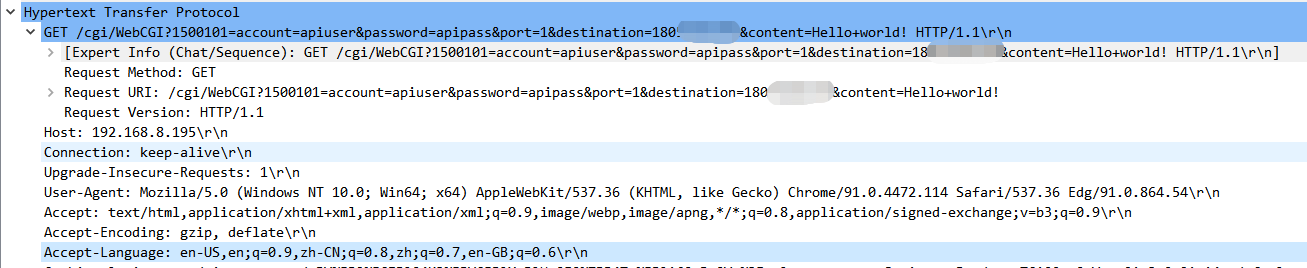
Request Sample
If you use the API via your own application. The HTTP method should be GET.

31 Comments