
This article will show you how to send and receive a Fax with the fax machine.
As we know, if you want to send a Fax, that we need a fax machine, and if you want to receive a Fax that you also need a Fax machine or use fax to email. The Fax machine that needs an FXS port.
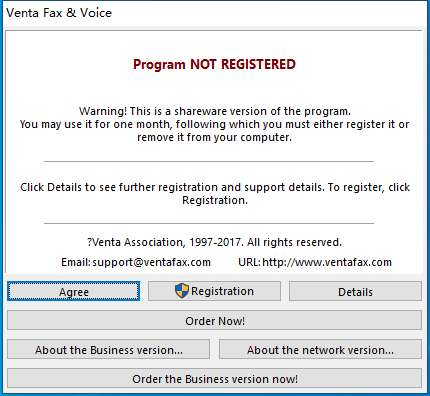
Venta Fax is a software Fax, which can register as Yeastar PBX extension, then send and receive a Fax file. It offers a 1-month free trial.
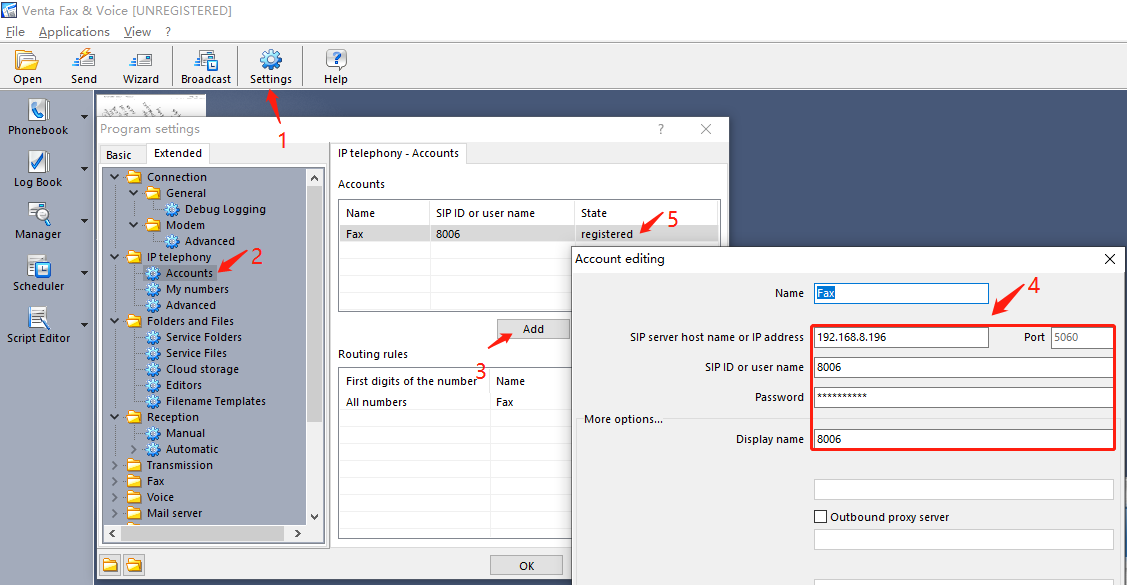
Step 1: Register it as PBX Extension.
Step 2: Send a Fax, Choose the file it will automatic conversion.
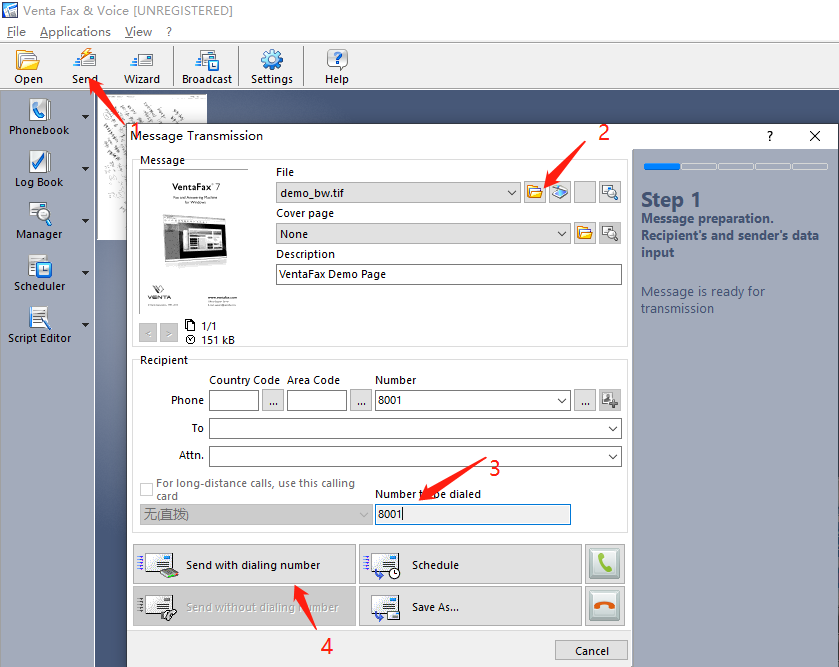
Fill in the called number on the '3' steps the called number need to match PBX outbound call dial pattern.
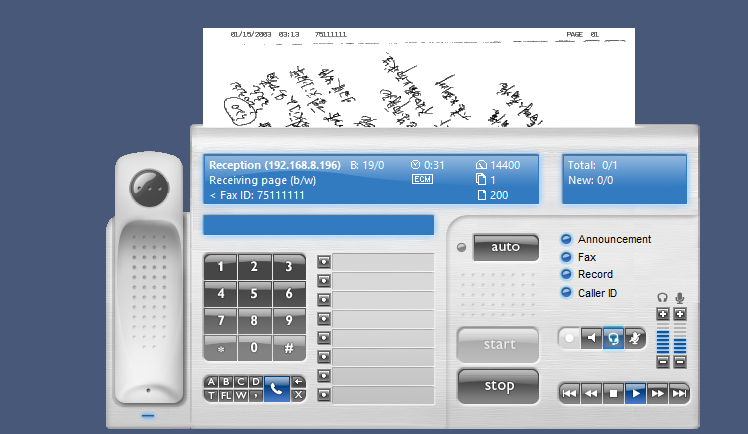
Step 3: Receive a Fax, It will popup when receiving a call, and you call click the 'auto' to start to receive the Fax file. You can view the Fax during it receiving.
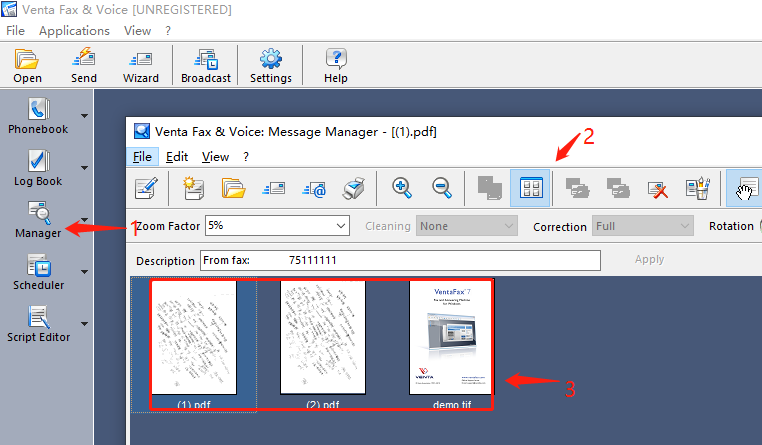
Step 4: Click the Manager label, we can view the Fax that received and sent.
Note: This software has a month free trial. Please contact the Venta if you want to active it.
0 Comments